Shopping ads
Shopping ads on Pinterest are an ad format created from product groups built in Catalogues. Pinterest names shopping ads as the next step after building product groups. [1]
See an example
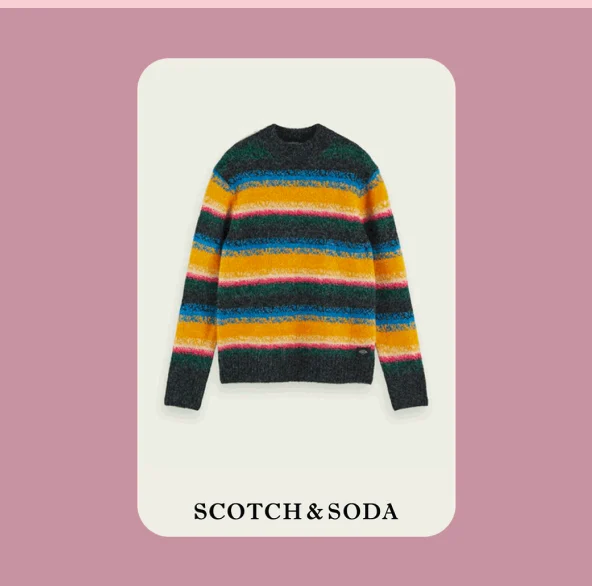
Scotch & Soda’s shopping campaignPublished campaign
Pinterest published this product creative in its Scotch & Soda case study. Shopping ads were the main component of the brand’s campaign.
- Platform
- Product
- Shopping
- Category
- Ad formats
What you can give it
- Product groups must be created before shopping ads can be created from them. [1]
- Product groups are defined by filters (e.g. price, with one currency per group) applied to catalogue data sources, so the audience-facing ad content derives from the filtered product set. [1]
- A product group can draw from all data sources (catalogue-level) or a single data source. [1]
Use it when
- Use it when you already run a Pinterest catalogue and want to advertise a curated subset of products defined by filters. (Catalogues availability varies by region) [1]
- Retailers using Shopify-linked catalogues can maintain product groups through Shopify, keeping advertised product sets in sync with store data. [1]
Don’t rely on it when
- Do not rely on it when Catalogues is not yet available in your region — the help page itself displayed such a notice, so availability must be confirmed first. (Catalogues availability varies by region) [1]
Set it up
- Log in to your Pinterest business account from desktop. [1]
- Under Manage business, click Catalogues and product groups, then Product groups in the left-hand menu. [1]
- Create or edit a product group, choosing catalogue-level or a single data source, and set filters (with operators such as is / is not; price filters allow one currency per group). [1]
- Once the product group is created, create shopping ads from it — Pinterest confirms this is the next step but the detailed ad-creation steps are not documented by Pinterest. [1]
- Prerequisite: confirm Catalogues is available in your region before starting; the help page displayed a notice that it was not yet available in the viewer's region. [1]
What it can move
- A useful indicator is click-through on shopping ads relative to the breadth of the product group's filters: tighter filters should concentrate ads on more relevant products, which may raise relevance-driven engagement — but this is a conditional expectation from the filtering mechanism, not a guaranteed uplift, and narrower groups also reduce reach. (No vendor-reported performance figures are present by Pinterest) [1]
On other platforms
| Platform | Closest feature | Match | How it differs |
|---|---|---|---|
| Google Ads | Shopping ads (Google Ads / Standard Shopping) | Partial | Google Standard Shopping ads are generated directly from Merchant Center product data and managed through Shopping or Performance Max campaigns; Pinterest shopping ads depend on first building filtered product groups in Catalogues. [2] |
| Meta | Collection ads (Meta / Paid Social) | Related | Meta collection ads pair a cover image or video with three product images for mobile browsing in Feed; Pinterest shopping ads are generated from catalogue product groups and are not described as a cover-plus-products creative format. [3] |