Dynamic retargeting
Dynamic retargeting on Pinterest reaches people who have already visited your site or who have items sitting in their shopping basket. It can retarget exact products or similar products to those a person engaged with while browsing on Pinterest. [1]
How it works
- Shopper action
- View or basket a blue kettle (Covered in this guide)
- Catalogue selection
- Match the exact product
- Possible ad
- Show the same blue kettle
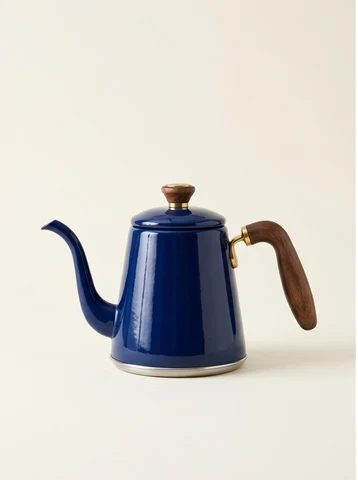
- Shopper action
- View or basket a blue kettle (Covered in this guide)
- Catalogue selection
- Find a similar product
- Possible ad
- Show a similar green kettle

How a viewed product can return as an adConfiguration diagram
The product the shopper engaged with can be the one shown again, or it can inform the selection of a similar item from the catalogue.
Illustrative product photography generated with Nano Banana 2 via OpenRouter.
- Platform
- Product
- Paid Media
- Category
- Targeting and audiences
What you can give it
- The Pinterest tag tracks conversion events (Checkout, Addtocart, Pagevisit) and passes back product IDs that must match catalogue product IDs. [1]
- Retargeting is focused by a lookback timeframe made up of a start and end date and an event type to focus on. [1]
- The lookback value defines who is targeted: with a 7-day window, you target anyone who engaged with a Products page in the past 7 days. [1]
Use it when
Don’t rely on it when
- Do not rely on it when your traffic volume is low: you must meet the required number of Pagevisit and Addtocart events in the last seven days before dynamic retargeting can run. [1]
Set it up
- Upload your catalogue and verify that it is active with your products. [1]
- Set up the Pinterest tag on your website, tracking Checkout, Addtocart and Pagevisit, with product ID event data matching your catalogue IDs. [1]
- Ensure you have met the necessary number of Pagevisit and Addtocart events in the last seven days. [1]
- In Ads Manager: under Ads, click Create campaign; select the Sales objective; under Targeting select Dynamic retargeting. [1]
- Select a lookback timeframe with a start and end date and an event type to focus on. [1]
- In Advanced options, set Ad group placement to All or Browse; dynamic retargeting is not available for Search. [1]
- Finish selecting Product groups, Budget and schedule, and Optimisation and delivery details, then review and click Publish. [1]
- Alternatively in Bulk Editor: download the sample shopping sheet, fill the Ad Placement column with ALL or BROWSE and the Dynamic Retargeting Lookback column with 7, 14, 30, 60 or 180 days, then upload the template. [1]
What it can move
- With a consideration objective you can optimise for Pin clicks or outbound clicks; with a leads objective you can optimise for leads. [1]
- The chosen lookback window should plausibly influence retargeting reach: a longer window covers more past engagers but may include less recent, possibly lower-intent shoppers, so watch audience changes and click/outbound-click performance when testing windows. [1]
- Potential audience size will not be available to view once dynamic retargeting is selected for a campaign. [1]
On other platforms
| Platform | Closest feature | Match | How it differs |
|---|---|---|---|
| Meta | Website Custom Audiences | Partial | Website Custom Audiences reaches people who visited the advertiser's site using Meta pixel tracking to build a targeted audience for a targeted ad; Pinterest dynamic retargeting additionally ties catalogue product IDs to tag events so exact or similar products can be retargeted on Pinterest. [2] [1] |