Responsive search ads
Responsive search ads let you create an ad that adapts to show more relevant messages to potential customers. You enter multiple headlines and descriptions, and Google Ads tests different combinations over time and learns which perform best. [1]
See an example
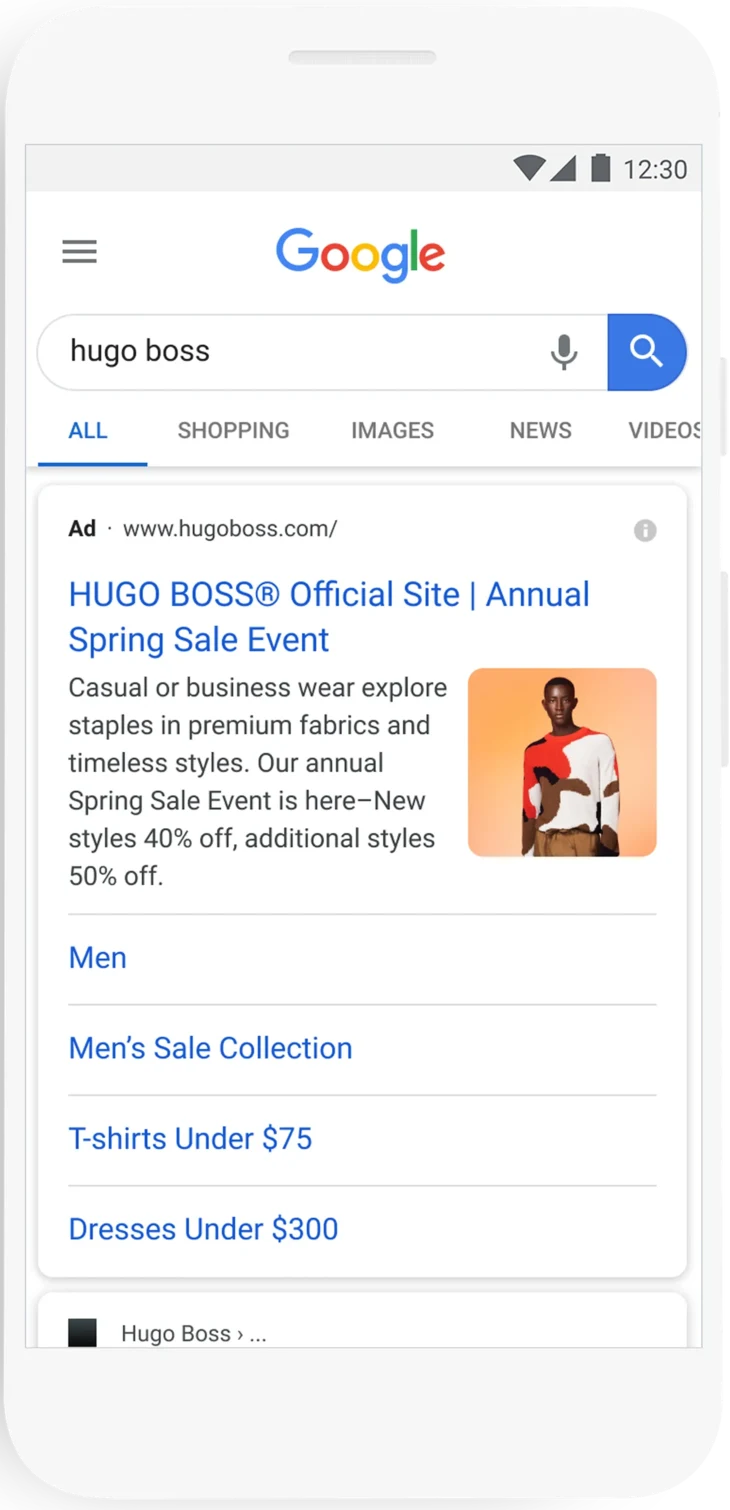
HUGO BOSS spring salePublished campaign
Google shows a mobile search ad from HUGO BOSS’s responsive search campaign with combined headlines, a description, an image asset and sitelinks.
- Platform
- Google Ads
- Product
- Search
- Category
- Ad formats
What you can give it
- You provide up to 15 headlines and 4 descriptions (minimum 3 headlines and 2 descriptions) plus a final URL and display path. [1]
- Google Ads assembles the text into multiple ad combinations, serving at least one headline and one description per ad. [1]
- Headline 1 and Description 1 usually appear when the ad is served; the second headline, third headline and second description may appear based on predicted performance or available space, and are not guaranteed. [1]
- By default assets can appear in any order; pinning forces an asset into a specific position. Pinning reduces the number of assets matched to searches, is not recommended for most advertisers, and can lower Ad Strength. [1]
Use it when
- Use it when you want your ad text to adapt more closely to potential customers' search terms, which may improve campaign performance. [1]
- Use it when you need to guarantee specific text, such as a legal disclaimer, by pinning it to Headline position 1, Headline position 2, or Description position 1. [1]
Don’t rely on it when
- Do not rely on it when your messaging must always appear in a fixed order without variation — unpinned assets can appear in any combination, and pinning everything reduces the matching pool and can affect Ad Strength. [1]
- Do not rely on it when extended text fields must always show: Headline 2, Headline 3 and Description 2 are not guaranteed to appear and may be shortened, especially when call assets or the Display Network reduce space. [1]
Set it up
- To pin: create or edit a responsive search ad, select the pin icon next to the headline or description, choose the position, then select Save. [1]
- Implement at least 2 responsive search ads with 'Good' or 'Excellent' Ad Strength per ad group, with a unique final URL for each ad. [1]
- Text that must appear in every ad must be included in Headline 1 or Description 1, or pinned to Headline position 1, Headline position 2, or Description position 1. [1]
What it can move
- On the 'Ads' page you can see the same performance metrics as other text ads; the stats table shows totals for all ad combinations created from your entered headlines and descriptions. [1]
- To isolate responsive search ads in reporting: go to Campaigns, use the dropdown to select Attributes, then Ad type, and check the box next to 'Responsive search ad'. [1]
- Removing or editing headlines or descriptions can change which ads serve and may impact performance. [1]
- A useful signal to watch is conversions and clicks per ad — because the system learns which combinations perform best, gradual improvement in conversions at a similar cost per conversion suggests the testing is working in your account; the trade-off is that heavy pinning limits this learning. (Google Ads' combination testing is learning-based; the payoff depends on query mix and enough serving volume for combinations to be tested.) [1]